
Configure Field Type Properties for Formula Fields
Here is our approach for configuring Formula Field properties in Zoho Creator.
Even a non-technical person can easily set it up in just a few steps.

Approach
We can configure Formula Field properties in Zoho Creator using the steps given below.
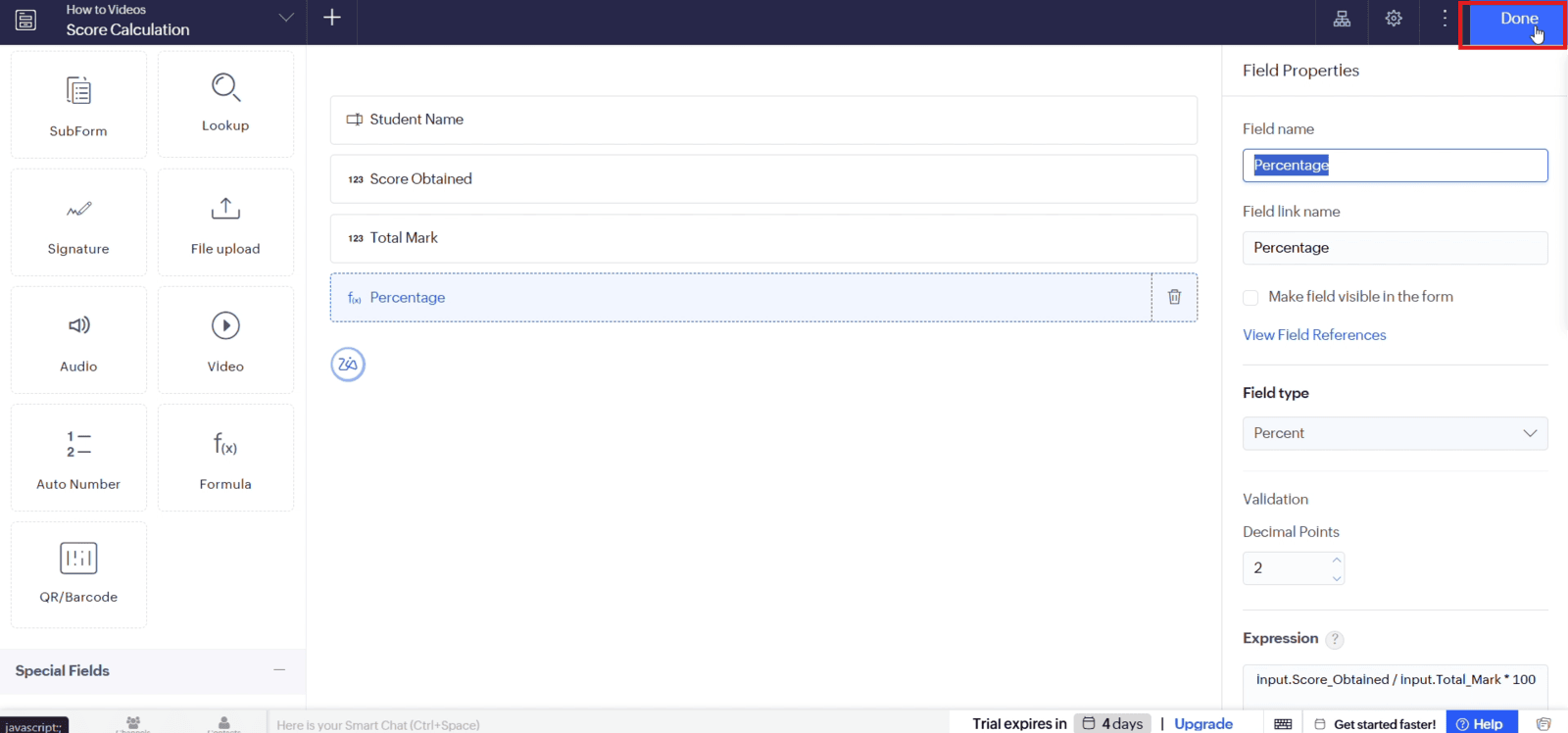
1. Configuring Formula Field Properties
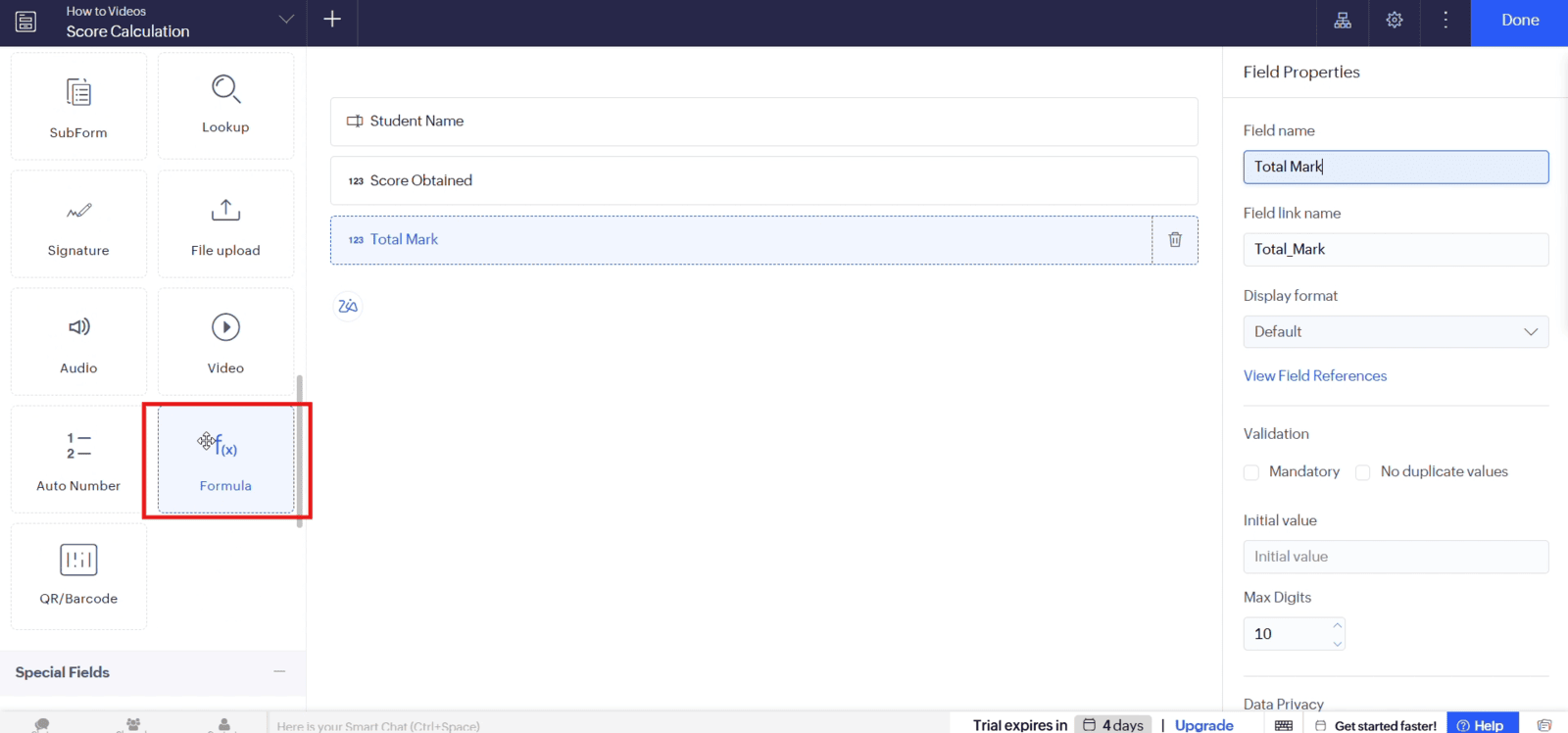
1.1 Add the required fields to your form and drag and drop a "Formula" field
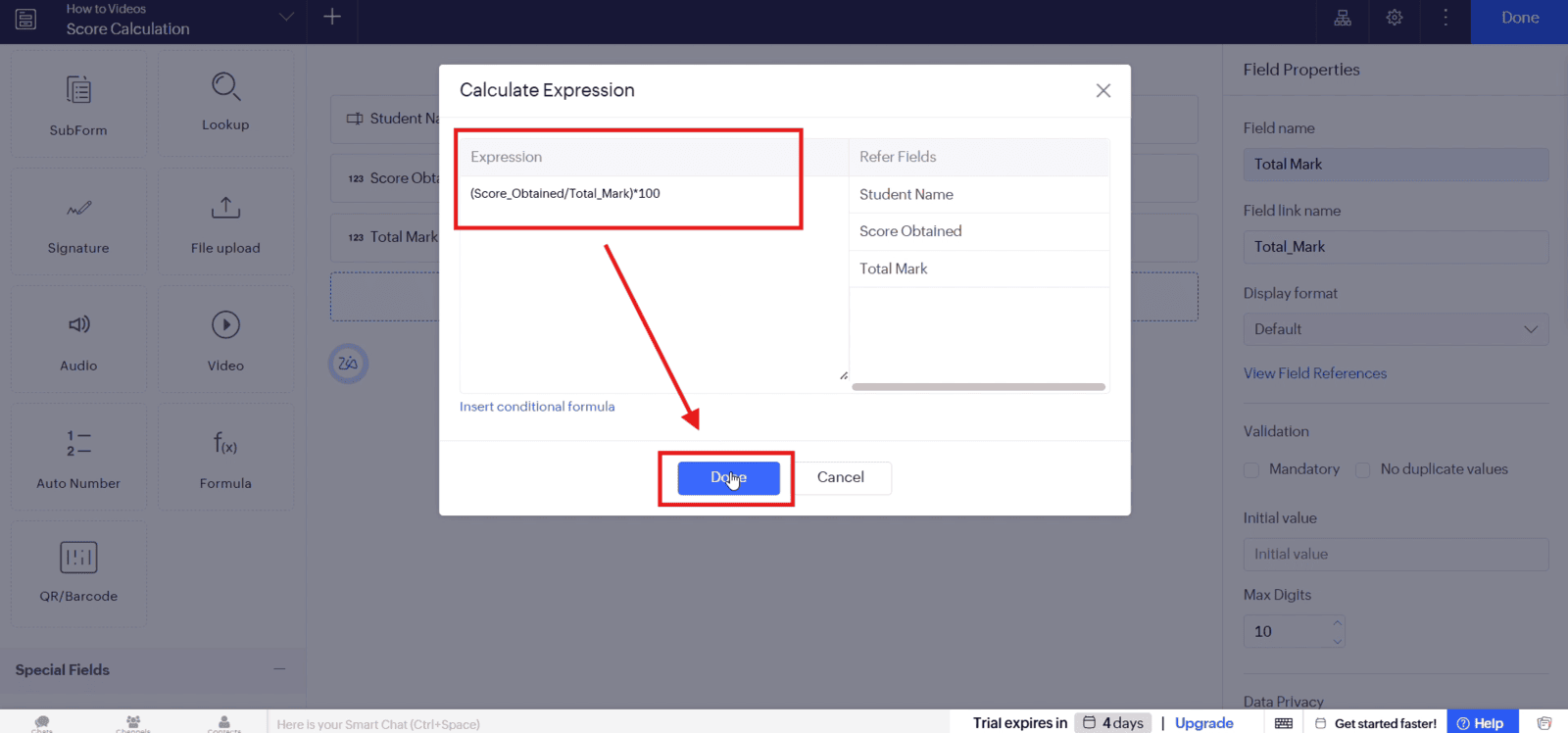
1.2 Enter the required formula expression and click "Done"
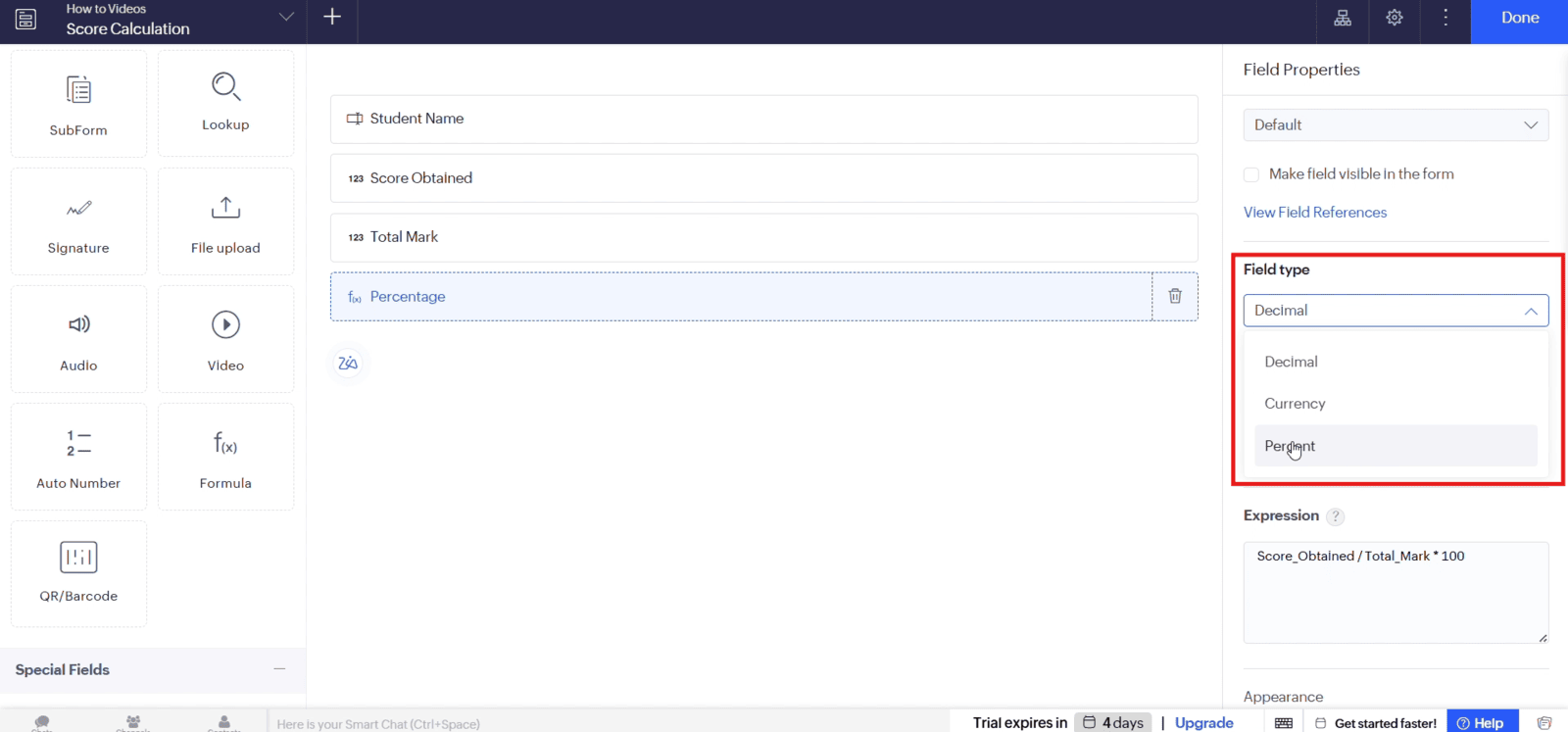
1.3 Select the appropriate field type
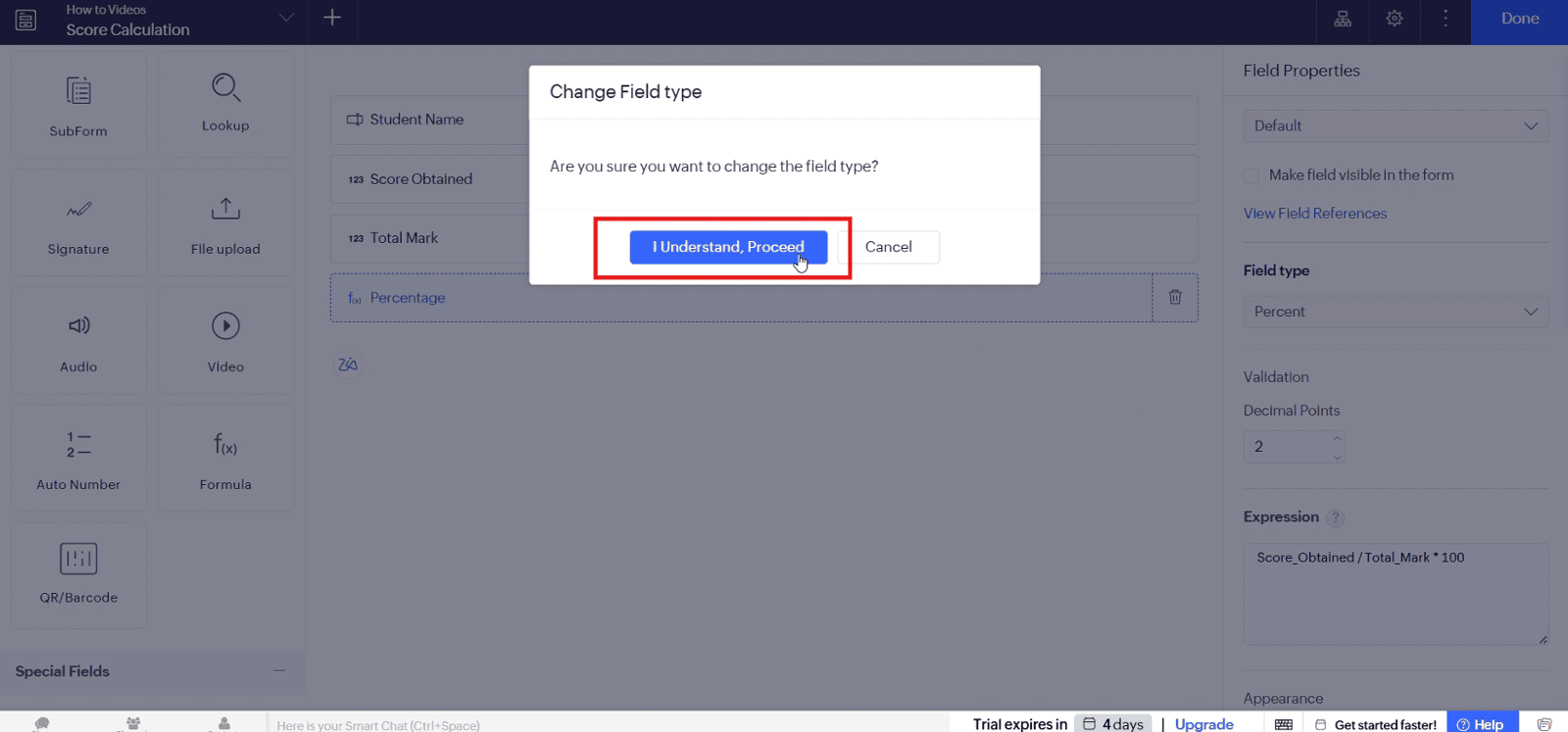
1.4 Click "I Understand, Proceed" to confirm the field type change
1.5 Click "Done" to save the Formula Field configuration
Video: Configure Field Type Properties for Formula Fields
Here is the video explanation of the above steps.


